
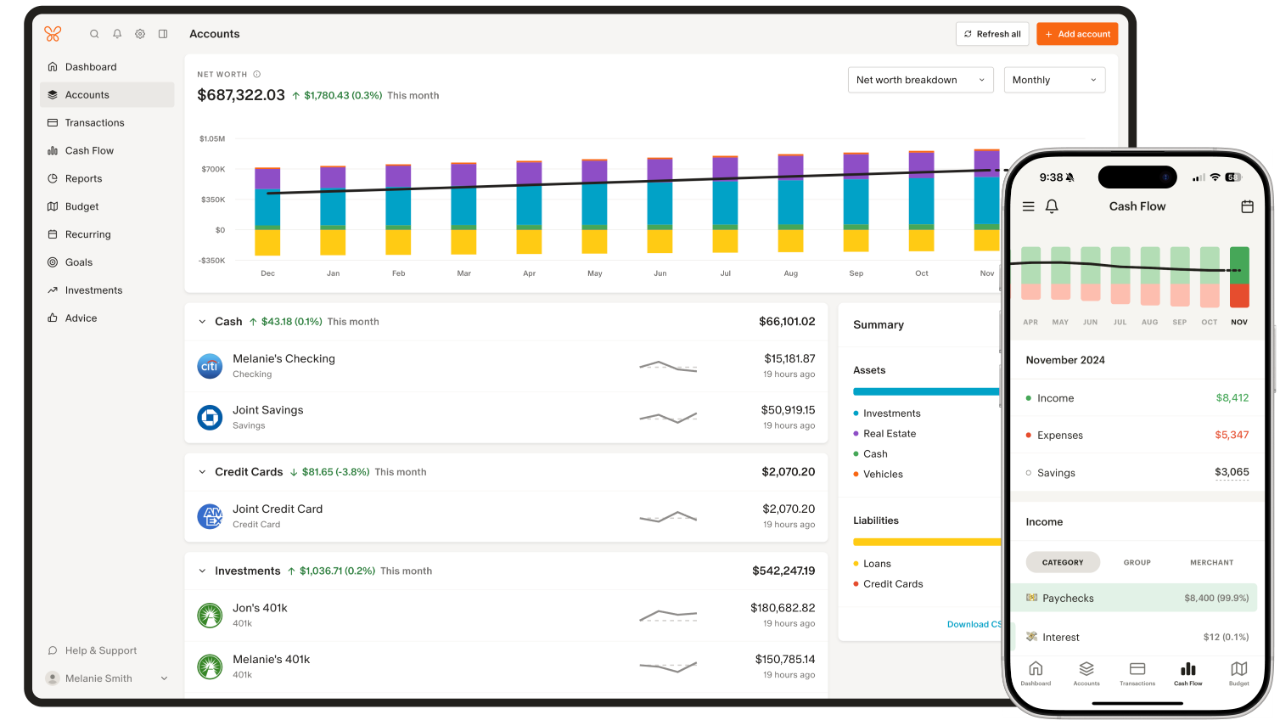
6 Actions To Get Your Monarch Budget Ready for 2026
As we draw 2025 to a close and begin a new year, now is a great time to tidy up your Monarch budgeting app and prepare yourself for 2026. The following steps will walk you through 6 steps you need to take now to get your Monarch budget ready for 2026.
If you don’t currently use Monarch or would like to learn more, you can check out their budgeting app here. Currently Monarch is offering 30% off their annual subscription with Promo Code: WELCOME
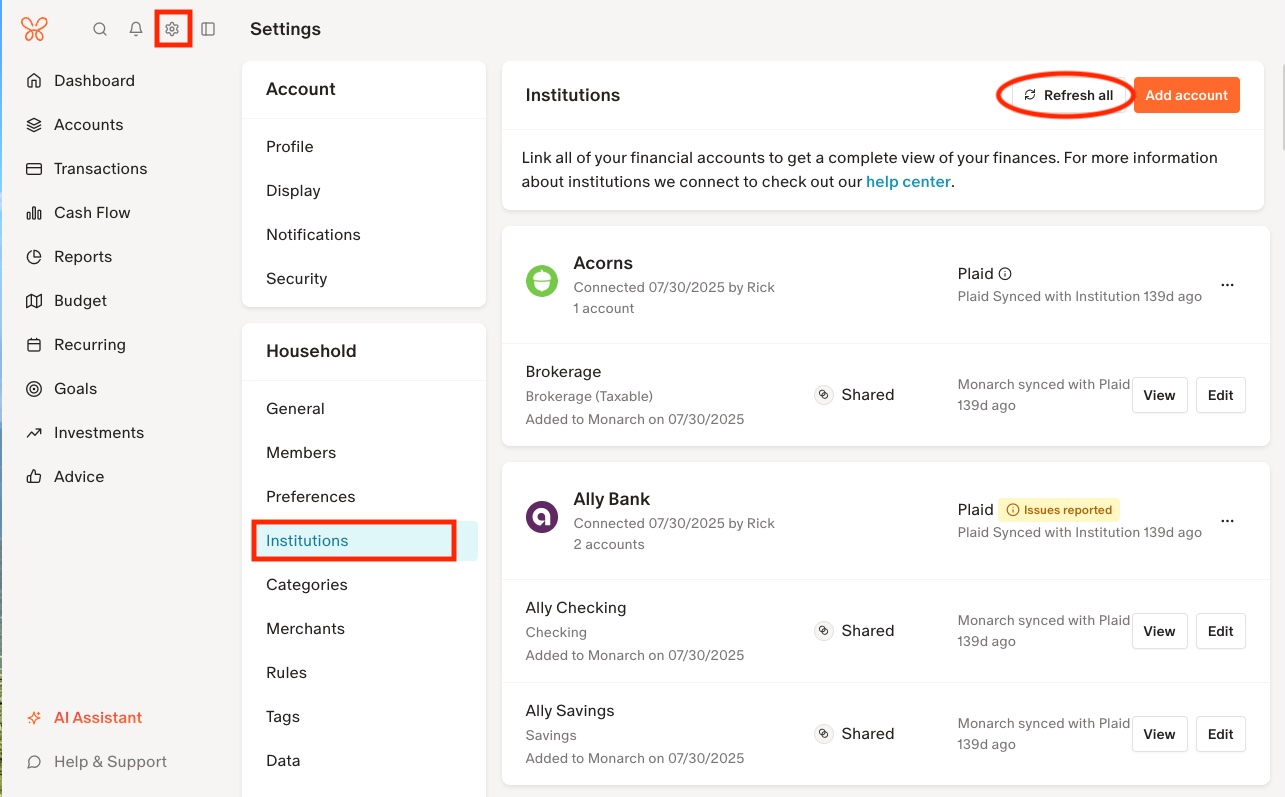
Action #1 - Clean Up Account Connections
One of the great uses of Monarch is how it provides your net worth over time. This feature allows you to monitor the overall growth of your assets, and ensure your financial plan on the right track. However, during the year, accounts may become disconnected from the app. Now is a great time to review your Accounts tab and ensure all your accounts are connected.
- Step 1: Click on the Settings Gear in the upper left
- Step 2: Select the Institutions screen
- Step 3: Click “Refresh All” to update your account settings. Scroll through your accounts and make sure they are all connected and working properly.
ACTION #2 - Make Sure All 2025 Transactions are Categorized
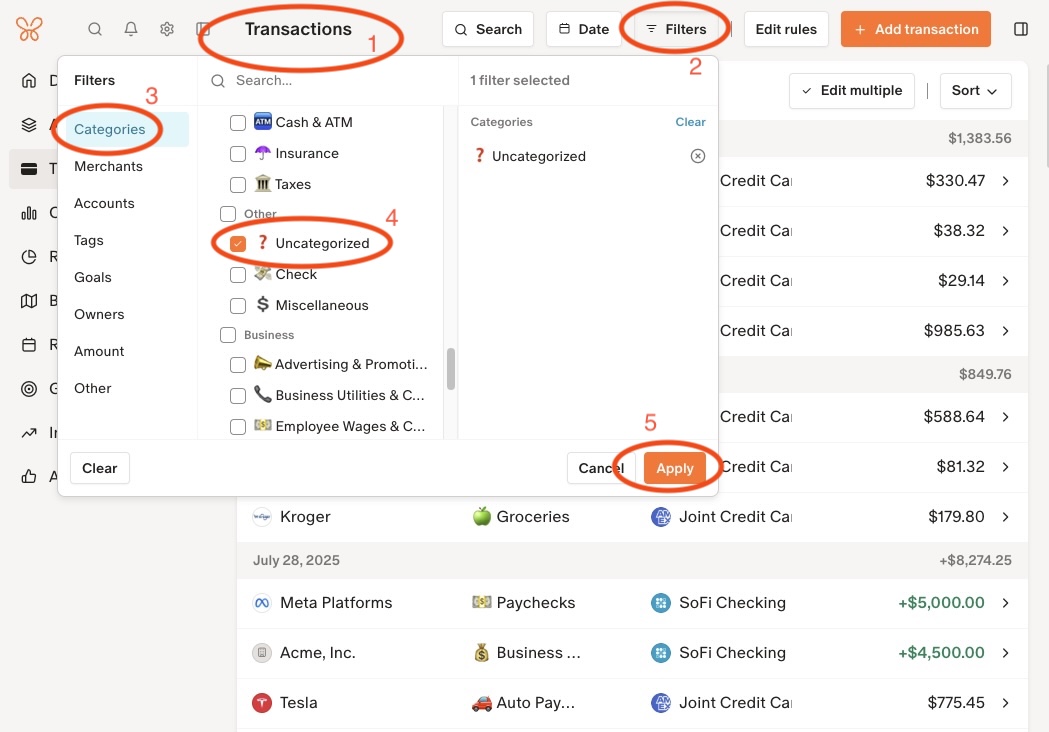
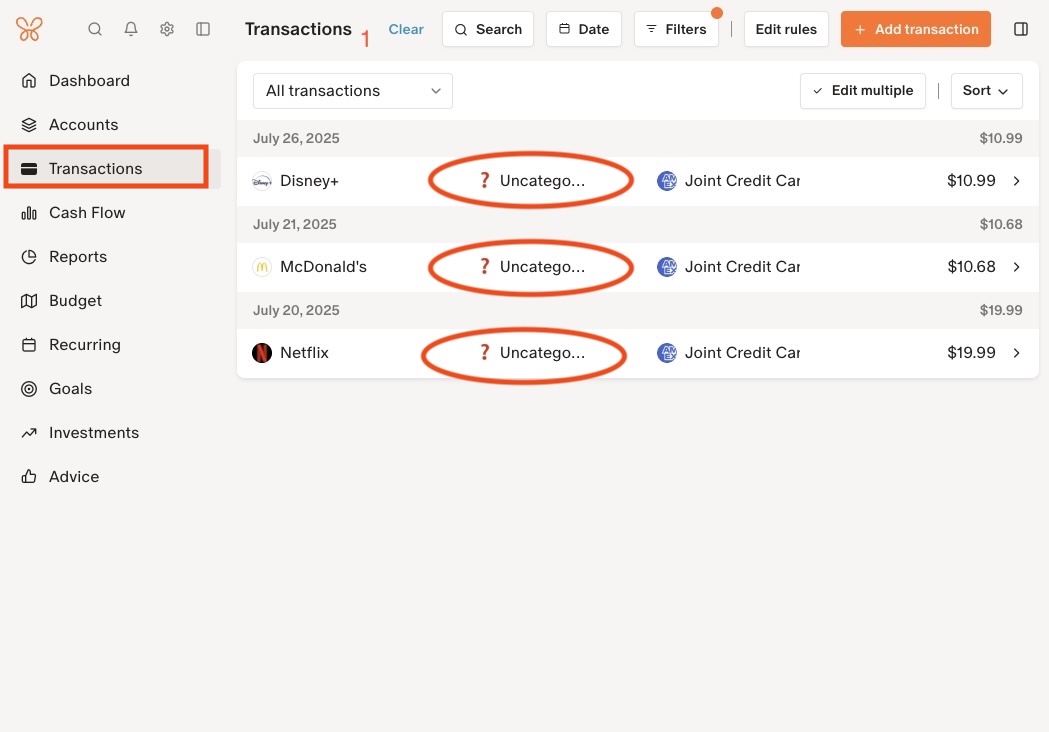
To ensure your budget is accurate for the new year, we need to verify that all your transactions have been categorized. Monarch makes this easy with its filtering tool, which lets you search for uncategorized transactions. Through this process, you may find uncategorized transactions with accounts not linked to your budget (such as investments or health savings accounts). I recommend categorizing these transactions to enable later reporting.
- Step 1: Select the Transaction screen
- Step 2: Select Filters on the top tool-bar
- Step 3: Select Categories from the Filters list
- Step 4: Select “Uncategorized” from the selection list
- Step 5: Click Apply
- Step 6: Have fun categorizing!
ACTION #3 - Update Your Budget Using Actuals
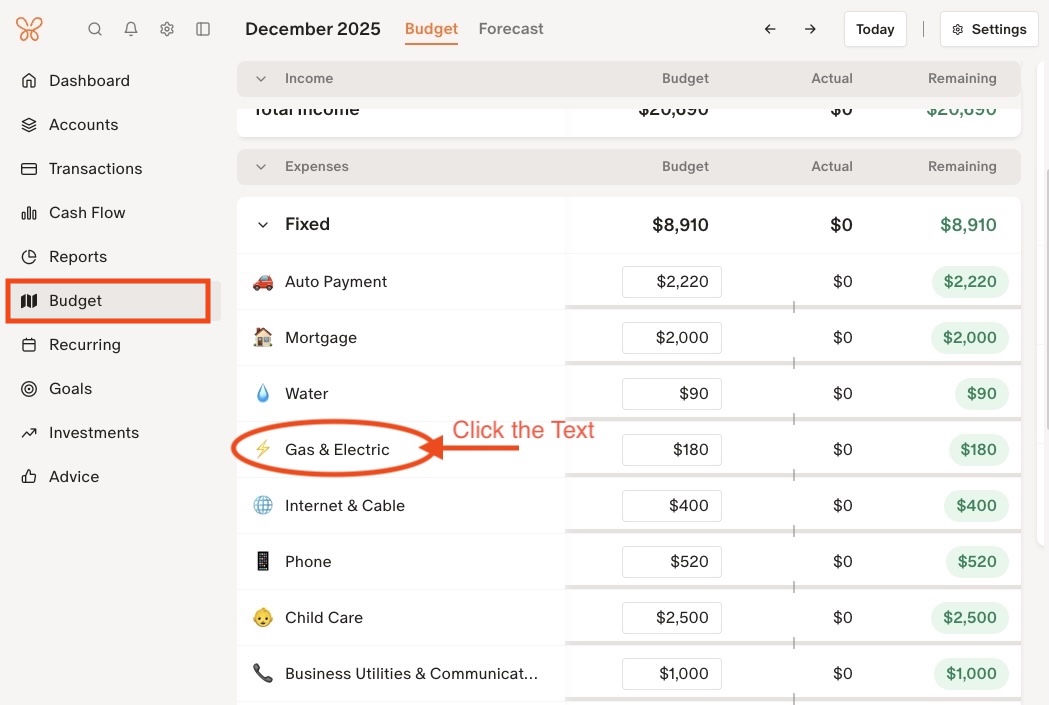
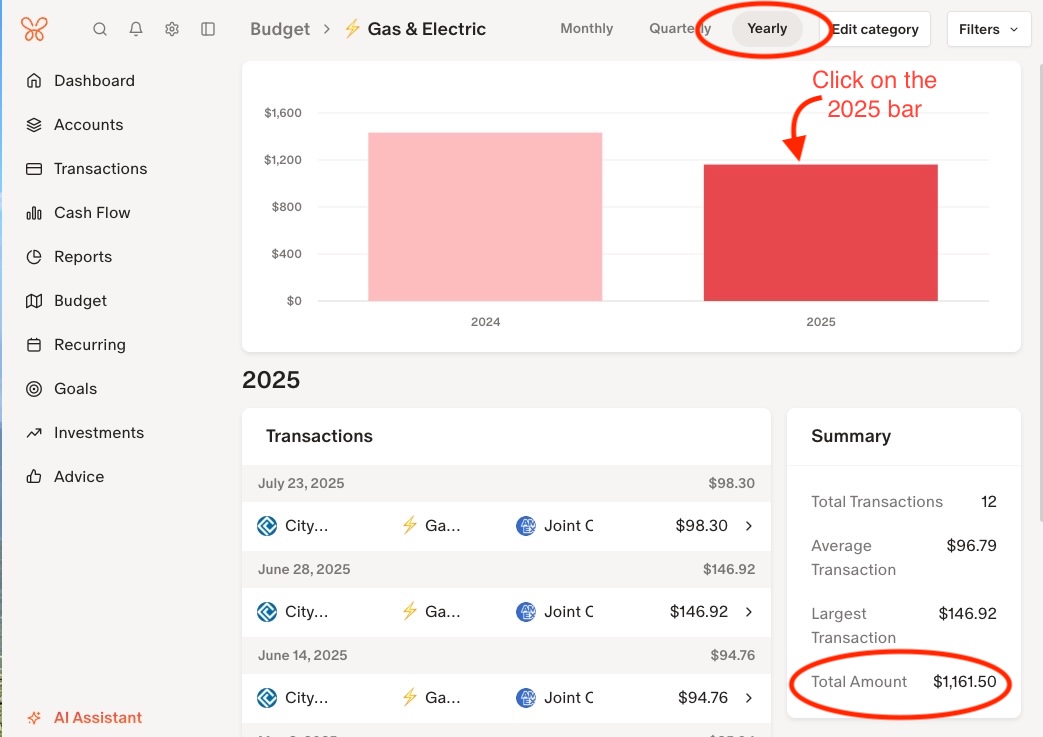
Now that you have a year of data collected, you can update your budget using actuals from the past year. Monarch makes drilling into any category’s data simple, and will allow you to see the average monthly expense over the past year. You can even compare your averages to the previous year, if you have that data available. Update your budget for January 2026 using this information to make sure your budget is as accurate as possible.
- Step 1: Select the Budget Screen
- Step 2: Select the text of your Budget Category
- Step 3: At the top of the Budget Category Screen, select “Yearly”
- Step 4: In the bar chart, select the Year “2025”
- Step 5: In the summary box, use the “Total Amount” and divide by 12. Because December is not yet complete, you may need to adjust the figure accordingly.
ACTION #4 - Remove Unused Budget Categories
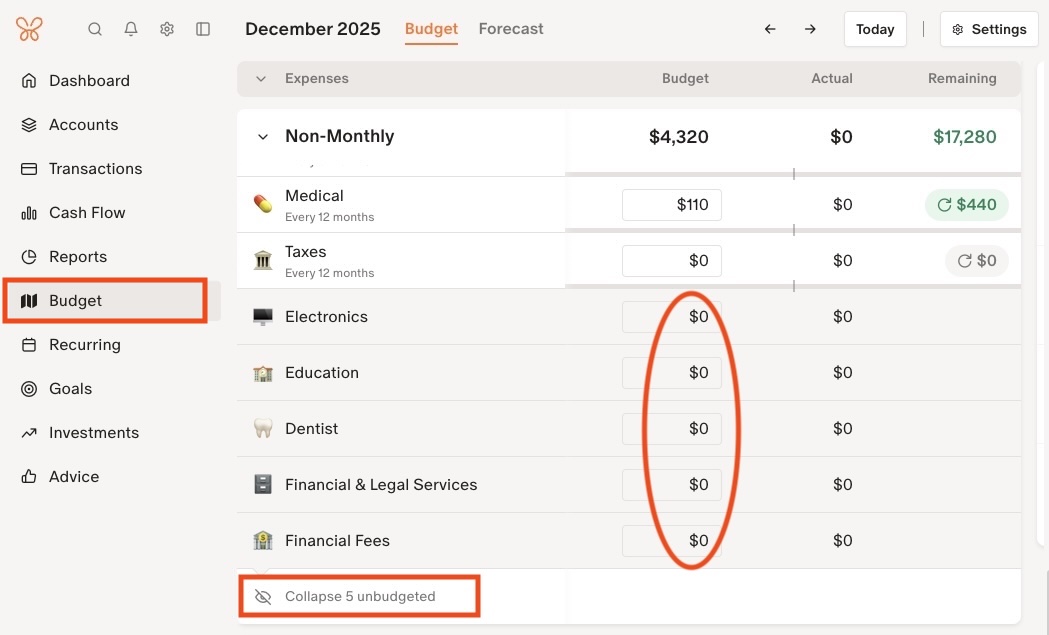
Now that you have scrubbed your 2026 budget, you may have several categories you no longer use. Monarch will automatically hide any category that was unused this month, but if you want to remove the category permanently, you will need to make the change in settings.
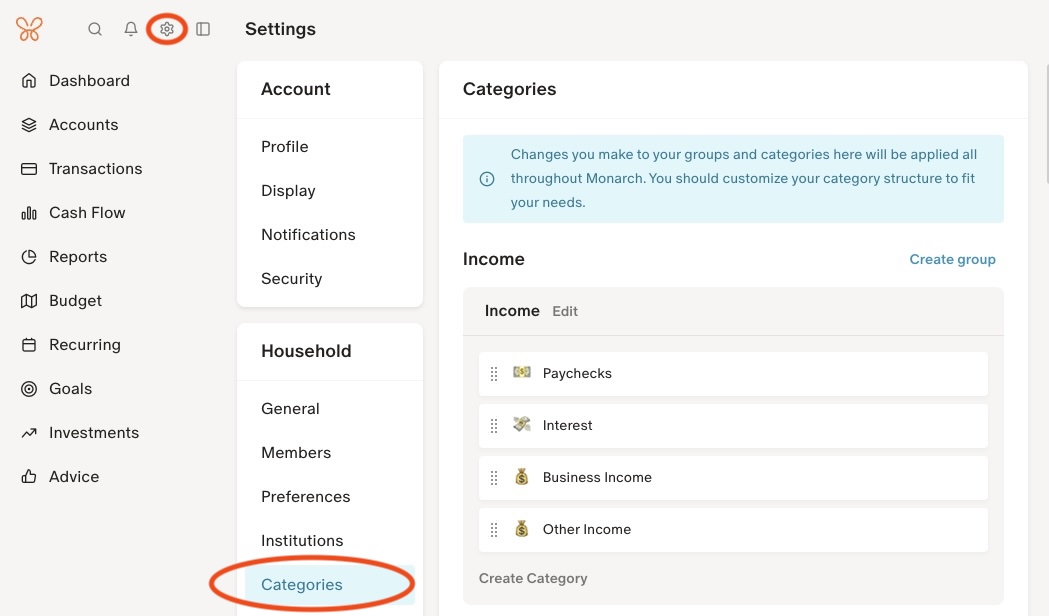
- Step 1: Click on the Settings Gear in the upper left
- Step 2: Select Categories
- Step 3: Select the budget category you want to remove
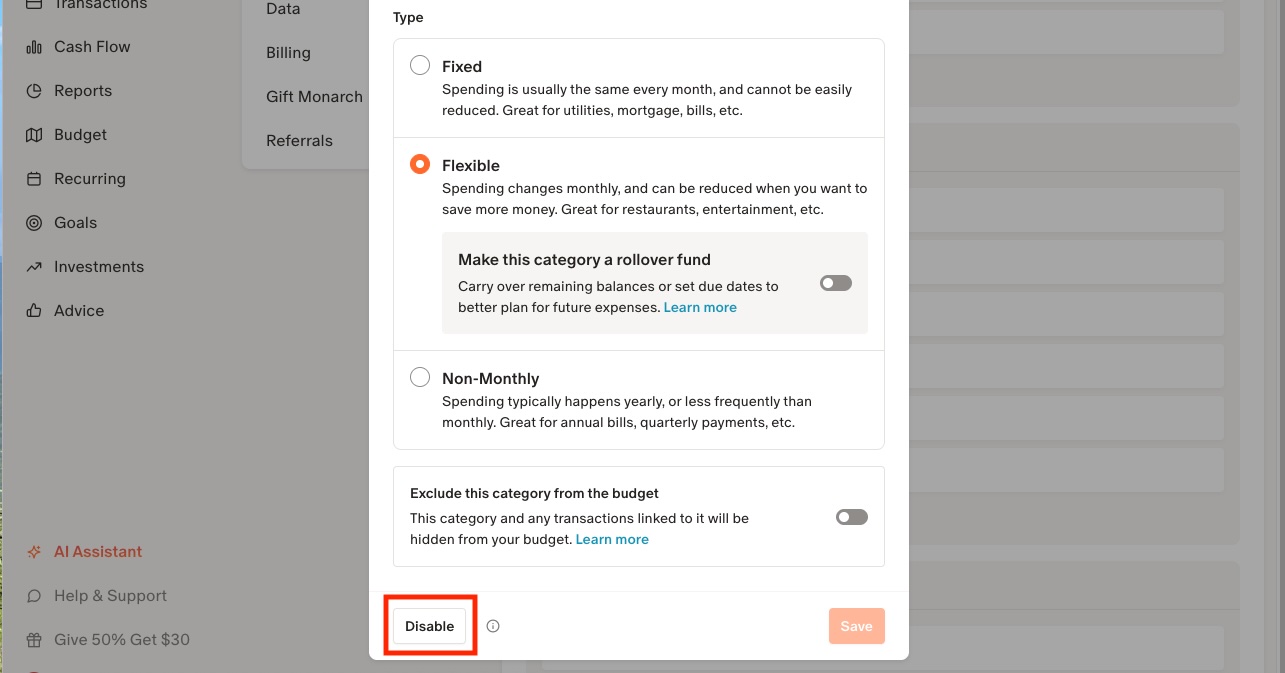
- Step 4: Scroll down to the bottom of the category settings, and click “Disable”. While Monarch does not allow system categories to be deleted, you can disable them and hide them from your budget.
ACTION #5 - Create New Categories
If you have categories that consistently exceed budget, consider splitting them into multiple categories to clarify why you exceed budget each month. You can create new categories using the same process as Step 4, only to create a new category in the Group of your choice.
ACTION #6 - Check Your Roll-Over Actuals Match Your Account Balance
This last step isn’t strictly necessary, but if you’re like me and want to make sure every penny is in the correct place, you can verify that your rollover actuals match your account balance. This means all of your available cash is correctly allocated to your budget categories (no more, no less). Unfortunately, if they differ, you will need to adjust the opening balance of a budget category (I recommend a General Savings category) to reconcile the budget with your account balance.
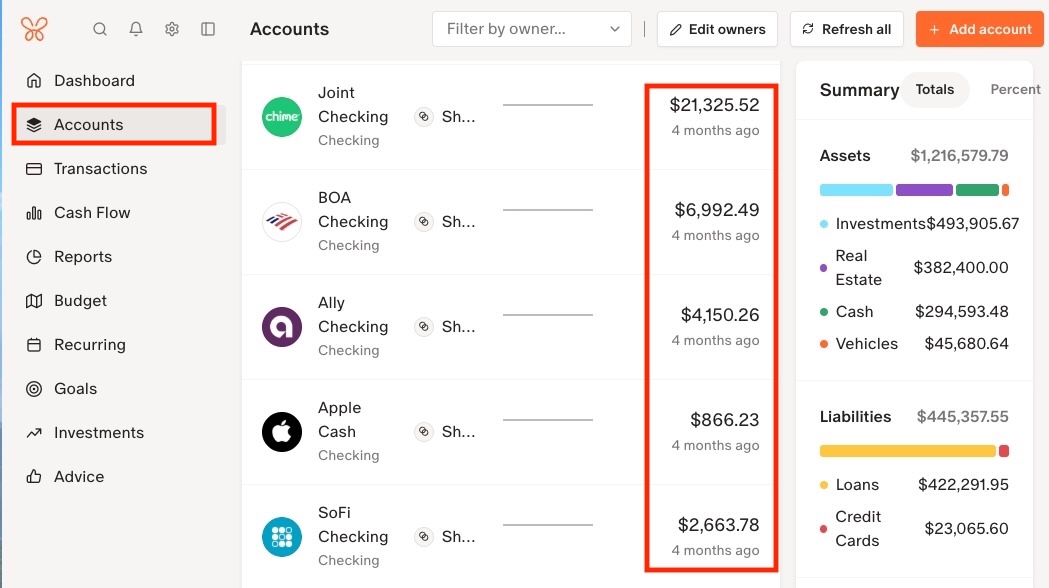
- Step 1: Select the Account screen
- Step 2: Add up the Account Balance total of all accounts that are linked to your budget
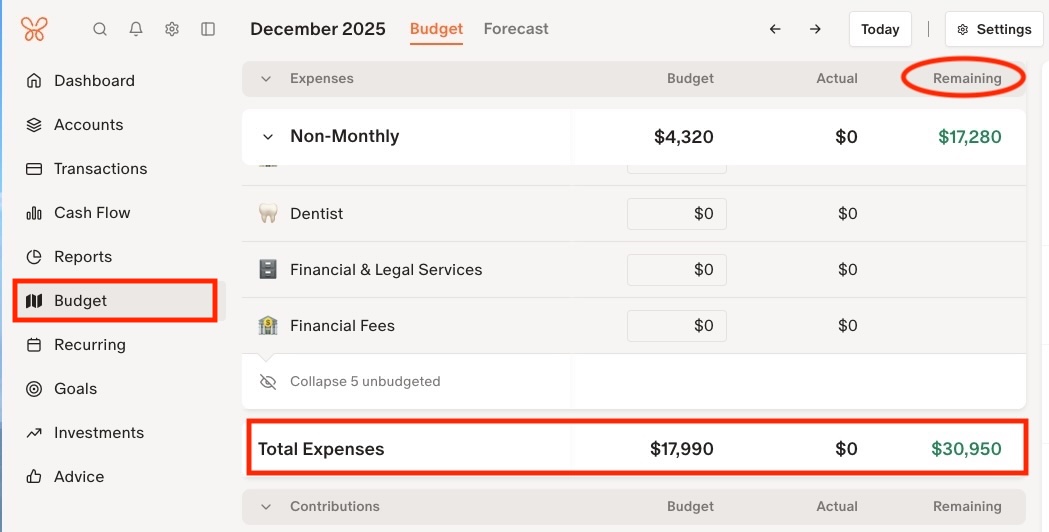
- Step 2: Select the Budget screen
- Step 4: Review the “Remaining” total on the “Total Expenses” line item. If they match, you’re good. If they don’t match, adjust the opening balance of your “General Savings” category to make your budget rollover match your account balances.
By taking these steps now - refreshing your accounts, categorizing every 2025 transaction, updating budgets with real spending data, trimming unused categories, adding new ones as needed, and reconciling your rollovers - you'll head into 2026 with a clean, accurate, and realistic financial picture in Monarch. This year-end cleanup not only ensures seamless monthly rollovers into January but also sets you up for better tracking, smarter decisions, and greater peace of mind throughout the new year. Here's to a prosperous and generous 2026!
About the author: Nate Sargent holds a Bachelor of Science in Electrical Engineering from Purdue University and an MBA from Colorado State University. He also earned a Certificate in Financial Planning from the Ron Blue Institute at Indiana Wesleyan University and is a Certified Christian Financial Counselor through the Institute for Christian Financial Health. With 25 years of experience in the aerospace industry, Nate brings a passion for solving complex challenges—both technical and financial. He writes and speaks on the intersection of faith and finances, encouraging others to view money not as an end, but as a tool for greater purpose and impact. Learn more about Nate at Christian Money Help.
Are you struggling to overcome money issues? We can help.
Our Christian financial counselors are trained to help you overcome the stress and anxiety of money. Gain clarity, confidence, and peace in your financial situation.